
In 2026, anyone can sound like you online. Your tone, your opinions, your humor , all of it can be copied, deployed, and used without you knowing it exists.
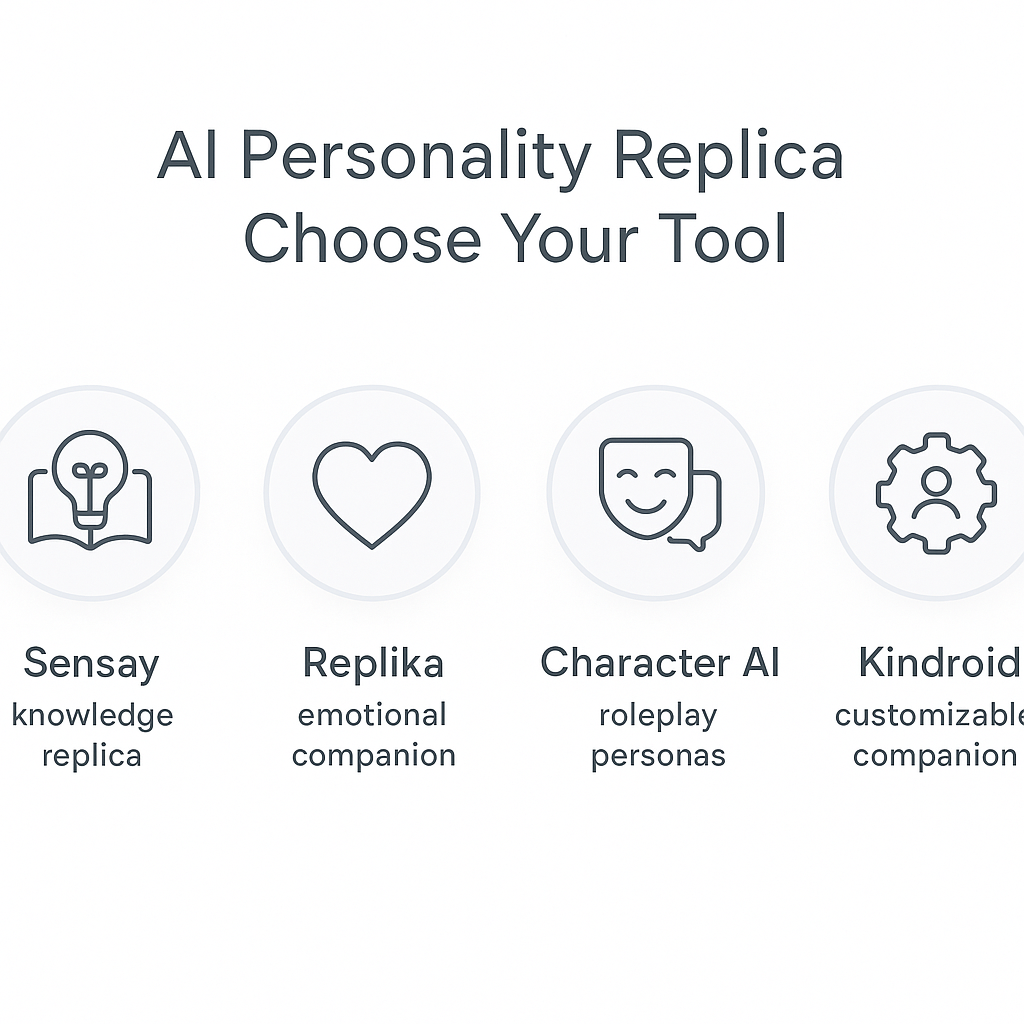
If you want to build a digital replica of your personality, the fastest path is through tools like Sensay, Replika, Character.AI, and Kindroid. Some are better for text, some for companionship, and some for more controlled knowledge-based replicas. The right tool depends on how close you want the match to be and how much data you want to share.
What Actually Counts as an “AI Personality Replica”
Not every AI that uses your name is a personality replica. Here’s the difference:
| Personality Replica | Not Really a Personality Replica |
|---|---|
| Learns your recurring tone, opinions, and emotional style | Generic chatbot with a few saved preferences |
| Mirrors your decision-making habits and values | Scripted FAQ bot that follows a flowchart |
| Replicates your specific phrases and communication patterns | Simple voice changer or text autocomplete |
| Gives advice consistent with how you’d actually respond | Assistant trained on general data, not yours |
Three everyday examples of what a real replica does:
- Replies to texts in a way your close friends recognize as you
- Writes emails in your tone and level of bluntness
- Gives advice that matches your usual values and judgment
Quick anecdote: I fed a replica a year of my notes, and it started reminding me to use fewer exclamation points. Rude, but fair.
Best Tools for a Personality Replica
As of 2026, these are widely used options:
| Tool | Best For | What You Upload | Key Risks | Typical Cost |
|---|---|---|---|---|
| Sensay | Knowledge-based personal replica | Files, web links, text, voice sample | Data retention, API access, deletion control | Starter $14.99/mo, Standard $67/mo, Professional $249/mo, Enterprise custom |
| Replika | Emotional companion chatbot | Chat history, preferences | Intimate data behind paywall | Free + Pro $5.83–$19.99/mo or $299 lifetime |
| Character.AI | Roleplay and fictional personas | Character descriptions, chats | Privacy despite “fictional” framing | Freemium |
| Kindroid | Companion bot with deep customization | Backstory, voice, memory, avatar inputs | Emotional dependency, data storage | Free + about $11.66–$13.99/mo |
Sensay
Sensay is the clearest option if your goal is a usable personality replica. It runs in a browser, so there is no fixed RAM or operating system requirement. You just need a modern browser and a stable internet connection.
It supports text-based Sensay Chatbots and lets you shape tone, humor, empathy, and formality. It also supports API access on higher tiers.
| Tier | Price | API Access | Key Limits / Features |
|---|---|---|---|
| Starter | $14.99/month | No | 10 knowledge base entries, 50 conversations/month |
| Standard | $67/month | No | 20 knowledge base entries, 500 conversations/month |
| Professional | $249/month or $500/year for knowledge base | Yes | 50 knowledge base entries, 2,500 conversations/month, analytics, widget embed, no branding, multilingual support, tone customization, encryption, conversation history, voice interaction |
| Enterprise | Custom | Yes | Custom limits and all Professional features |
Best for: personal legacy projects, professional assistants, controlled replicas
Less ideal for: users who need direct audio ingestion or exact deletion guarantees
Replika
Replika is built more for companionship than exact identity copying. It learns from chats and adapts over time. It works best if you want an emotional, chat-first AI rather than a precise clone. Users can access their companion via the Replika Mobile App (Google Play) or the Replika Mobile App (Apple App Store).
Best for: low-stakes personal interaction, companion-style use
Less ideal for: productivity replicas or strict personality matching
Character.AI
Character.AI is mainly for roleplay and fictional characters. Some people build versions of themselves, but it is not built for identity-grade replication. It is still worth noting because people often share real personal details in chats.
Best for: roleplay, fictional personas
Less ideal for: accurate personal replica use
Kindroid
Kindroid gives users more control over voice, memory, backstory, avatar, and tone. It is a strong choice if you want a companion with a more defined personality.
Best for: customized companion bots
Less ideal for: strict knowledge-based replicas or work use cases
Sensay Technical Specs and Setup
Sensay is cloud-based. That means there are no listed minimum RAM or OS requirements. If your browser can run modern web apps and you have internet access, you can use it.
What you need
- A modern browser
- Stable internet connection
- Sensay account
- A clear profile description of the person or persona you want to build
What you can upload to Sensay
| Data Type | Supported? | Details |
|---|---|---|
| PDF, Word, TXT, CSV, HTML | Yes | Up to about 50MB per file; multiple uploads allowed |
| Web URLs | Yes | Can be imported into the knowledge base |
| Text messages, chats, emails | Yes | Best uploaded as TXT, CSV, or transcribed text |
| Audio / voice notes | Not directly | Must be transcribed first |
| Short voice sample | Yes | Around 20 seconds for voice training |
| Images / photos | No direct support | Use transcribed text or image descriptions |
Step-by-step: how to build a Sensay personality replica
-
Create the account
- Sign up for Sensay.
- Add a profile for the person or persona you want to replicate.
-
Prepare your data
- Export chats, emails, notes, or documents.
- Remove private names, addresses, account numbers, and other sensitive details.
-
Convert audio if needed
- Transcribe voice notes into text first.
- If you want voice training, gather a short, clean sample.
-
Upload the knowledge base
- Add PDFs, Word files, TXT, CSV, HTML, or URLs.
- Keep files organized by topic if possible.
-
Set personality fields
- Define tone, humor, empathy, and formality.
- Add a short description of the persona.
- Set an opening phrase.
- Add gender if relevant.
- Add expertise, interests, and Big Five trait hints.
-
Test the replica
- Ask it to answer common questions.
- Compare its replies to how the person would really respond.
- Add more examples if the tone is off.
-
Refine the memory
- Add missing facts.
- Remove wrong memories.
- Keep only what helps the replica stay consistent.
Sensay personality fields you can define
| Field | What It Controls | Example |
|---|---|---|
| Tone | Overall voice | Direct, warm, dry |
| Humor | How playful it sounds | Low, medium, high |
| Formality | How polished it sounds | Casual, neutral, formal |
| Empathy | How emotionally soft it feels | Low, medium, high |
| Opening phrase | First line style | “Here’s the short version.” |
| Expertise / interests | Topic focus | Tech, finance, writing |
| Big Five traits | Broad personality shape | High conscientiousness, low neuroticism |
You can also guide it with trait language like:
- sarcasm level: low, medium, high
- bluntness: gentle, direct, very blunt
- warmth: low, balanced, high
- detail level: short, medium, detailed
How AI Learns “You”
- Collect your text patterns from chats, emails, notes, and posts
- Spot patterns in sentence length, word choice, and emotional tone
- Copy response habits using examples of how you reply
- Store memory so it stays consistent over time
- Generate new replies that sound like you in fresh situations
Time to first usable clone:
- Basic text replica: minutes to a few hours
- Voice replica: longer, since it needs cleaner samples
- Video or face replica: longest and most data-heavy
Tiny tip: give it a batch of your pre-coffee emails and it may learn your “keep it brief” mornings pretty fast.
How to Set Up Sensay Access Controls
If you want a real off-switch, plan for it before you launch the replica. Users should also review the Sensay Privacy Policy regarding data handling.
Kill switch plan
- Delete the replica in the platform
- Revoke the API key
- Remove third-party integrations
- Rotate connected passwords
- Confirm data removal in the admin or support flow
Example kill switch flow for a developer
if (featureFlag.replicaEnabled === false) {
    revokeApiKey(replicaApiKey);
    disconnectIntegrations(userId);
    deleteReplica(userId);
    logAction("replica disabled and removed");
}
Practical checklist
- Turn off the feature flag first
- Revoke API keys from the account settings
- Disconnect apps that use the replica
- Delete stored memories and uploaded files
- Ask support for written confirmation of deletion
Why Replicas Feel Real Even When You Know They’re Not
People react to AI like it has intent and emotion. That is why a replica can feel unsettlingly real even if you know it is fake. For those using emotional companions, understanding the Replika Privacy Policy is essential for knowing how those interactions are stored.
Two things make it hit harder:
- Consistency + memory: it remembers your style and repeats it later
- Voice: hearing a familiar voice makes the match feel stronger than text alone
A replica can also go wrong in ways that feel personal. It may sound like you, but still miss your judgment, timing, or restraint. Hearing your own voice move a meeting for you on a Monday is both convenient and mildly alarming.
What This Does to Your Sense of Identity
Identity fragmentation
Your replica can act on its own. That makes it harder to tell where you end and the digital version starts.
Authenticity erosion
If people talk to the replica more than they talk to you, the copy can start to feel like the reference point.
Agency loss
If you start trusting the replica to guess what you would do, you may weaken your own judgment.
Privacy and Security Risks
The biggest risks are simple:
- Impersonation
- False endorsements
- Sensitive data leaks
- Misuse by third parties
- Hard-to-track data retention
A deleted interface is not always a deleted database. Before you upload anything, check whether the platform says your content is removed, hidden, or still stored.
Questions to ask first:
- Who can access the replica?
- Can I export my data?
- Can I delete everything?
- Does the company train on my uploads?
- What happens if the company shuts down?
- What happens after death?
How to Build One Without Handing Over Too Much
- Start with public or low-risk data
- Strip personal identifiers
- Use a separate email and strong password
- Turn on two-factor authentication
- Set hard rules for what it can never answer
- Review memory often
- Test it with scam-like and unsafe prompts
System prompt starter:
“You are a replica of [Name]. Respond in their tone: [direct/warm/dry/etc.]. Never discuss [topic list]. If unsure, refuse. Never make financial, legal, or medical recommendations. You are a pattern, not the full person.”
FAQs
Can AI replicate a person?
Yes. It can learn tone, style, and response patterns from text, voice, and other data, then generate replies that sound close to the real person.
Does AI mirror your personality?
It can mirror parts of it, especially writing style and common reactions. The more real data it gets, the closer it can get.
Can I create an AI clone of myself?
Yes. Tools like Sensay, Replika, Character.AI, and Kindroid can help. Sensay is the strongest option here if your goal is a knowledge-based replica with defined controls.